
In the rapidly evolving world of workplace ergonomics, standing desks have transitioned from niche health products to essential furniture for modern professionals. By 2026, the market has matured significantly, offering sophisticated solutions that address everything from basic height adjustment to advanced smart features. This comprehensive buying guide will equip you with the knowledge needed to navigate the complex landscape of standing desks and make an informed decision that aligns with your specific needs, workspace constraints, and long-term health goals.
Whether you’re a remote worker seeking to improve posture, an office manager upgrading team equipment, or someone recovering from back pain looking for ergonomic relief, understanding the key factors in standing desk selection is crucial. We’ll explore everything from mechanical vs. electric mechanisms to surface materials, control systems, and integration capabilities with existing technology. You’ll learn how to evaluate build quality, consider warranty terms, understand price-performance ratios, and avoid common pitfalls that could lead to buyer’s remorse or inadequate support for your health objectives.
The standing desk market in 2026 offers unprecedented variety, with options ranging from budget-friendly manual cranks to premium motorized models with AI-powered posture tracking. This guide cuts through marketing hype to provide objective analysis based on engineering principles, user feedback, and industry trends. You’ll discover why certain specifications matter more than others, how to assess whether a desk truly meets your needs, and what red flags indicate potentially inferior products.

What to Look for When Buying Standing Desk
1. Budget & Price Range
Your budget serves as the foundation for all other decisions when purchasing a standing desk. The market in 2026 spans from under $200 for basic manual models to over $1,500 for high-end smart desks with advanced features. Understanding where you fall within this spectrum helps narrow your options while ensuring you get value for your investment. Entry-level models typically offer simple crank mechanisms and basic functionality, while premium options include programmable memory settings, app connectivity, and integrated health monitoring.
When establishing your budget, consider not just the initial purchase price but also long-term costs including maintenance, potential repairs, and any accessories you might need. Some budget desks require additional purchases like anti-fatigue mats or monitor arms, which can add significant expense over time. Conversely, investing in a higher-quality desk upfront often proves more economical in the long run due to reduced maintenance needs and longer lifespan.
2. Performance Specifications
Performance specifications determine how well a standing desk will serve your daily needs and whether it can accommodate your workspace requirements. Key metrics include lifting capacity (measured in pounds), maximum height range (typically 24-48 inches from floor to desktop surface), and adjustment speed (measured in seconds to move between sitting and standing heights). For most users, a lifting capacity of at least 300 pounds ensures stability with multiple monitors, laptops, and accessories.
The height range should accommodate both seated and standing positions comfortably, allowing your elbows to be at approximately 90 degrees when typing. Adjustment speed becomes increasingly important as you transition between positions throughout the day; faster adjustments reduce disruption to your workflow. Additionally, consider the desk’s ability to maintain stability at various heights without wobbling or vibrating, especially when using large monitors or engaging in activities that create movement.
3. Build Quality & Durability
Build quality directly impacts longevity, safety, and overall user experience. Premium standing desks feature robust steel frames with powder-coated finishes that resist scratches, rust, and corrosion. The desktop surface should be made from durable materials like solid wood, high-pressure laminate, or engineered composites that maintain integrity over years of use. Pay particular attention to joint construction—welds should be smooth without gaps, and connections should feel solid without excessive play.
Stability testing is another critical factor; a quality desk should remain perfectly level even when fully extended and loaded with heavy items. Check for consistent operation across the entire height range, smooth transitions between positions, and minimal noise during operation. Materials used in construction should meet fire safety standards, and the desk should undergo rigorous testing for weight capacity and endurance before reaching consumers.
4. Features & Functionality
Modern standing desks offer numerous features that enhance usability and convenience beyond basic height adjustment. Programmable memory settings allow you to save preferred positions for different tasks or times of day, while dual-motor systems provide smoother, quieter operation compared to single-motor alternatives. Advanced models include smartphone app integration, voice control capabilities, and compatibility with smart home ecosystems.
Consider additional features like built-in cable management systems, USB charging ports, and wireless charging pads for electronic devices. Some desks offer integrated sit-stand reminders that prompt you to change positions periodically throughout the day, promoting better health habits. Touchscreen controls with intuitive interfaces make operation easier, while child lock features prevent accidental adjustments in shared workspaces.
5. Brand Reputation
Brand reputation reflects a company’s commitment to quality, customer service, and product reliability. Established manufacturers with positive reviews and long-standing industry presence generally offer more dependable products and responsive support. Research brand history, read independent customer reviews across multiple platforms, and check for industry certifications or awards that validate their claims about build quality and performance.
Reputable brands typically invest in thorough testing procedures, use higher-grade components, and provide comprehensive warranties that cover both parts and labor. They also tend to offer better customer education resources, including setup guides, maintenance tips, and troubleshooting assistance. Avoid companies with consistently negative reviews regarding product failures, poor customer service, or difficulty obtaining warranty claims.
6. Warranty & Support
A comprehensive warranty demonstrates manufacturer confidence in their product’s durability and performance. Most quality standing desks come with at least a three-year warranty covering defects and mechanical failures, while premium models may offer five or even lifetime coverage. Examine warranty terms carefully—some exclude damage from improper assembly, while others limit coverage to specific components rather than the entire unit.
Customer support availability and responsiveness significantly impact your ownership experience. Brands offering phone, email, and live chat support with knowledgeable representatives can resolve issues quickly and efficiently. Check response times during peak hours and inquire about return policies if you encounter problems after installation. Reliable brands typically provide clear instructions for warranty claims and maintain accessible service centers in major regions.
7. Size & Portability
Size considerations include both footprint dimensions and transportability, depending on your workspace constraints and mobility needs. Standard desktop sizes range from 48″ x 24″ for compact setups to 72″ x 30″ for expansive work areas, with some models offering customizable width options. Ensure the desk fits comfortably in your available space while allowing adequate legroom underneath for both sitting and standing positions.
Portability becomes relevant if you need to relocate the desk frequently or share workspace arrangements. Lightweight aluminum-frame models are easier to move than heavier steel constructions, though they may sacrifice some stability. Wheeled bases enhance mobility for larger units, enabling repositioning without disassembling the entire structure. Consider whether you need a permanent installation or occasional reconfiguration when selecting size and portability features.
8. User Reviews & Ratings
User experiences provide invaluable insights into real-world performance beyond manufacturer specifications. Analyze reviews across multiple platforms to identify consistent patterns in satisfaction levels, common complaints, and unexpected benefits. Pay attention to comments about assembly complexity, long-term durability, customer service interactions, and any modifications users have made to improve functionality.
Look for reviewers who provide detailed information about their usage scenarios, including typical workloads, environmental conditions, and specific challenges they faced. Recent reviews carry more weight than older ones, as they reflect current product versions and manufacturing standards. Be cautious of overly generic positive or negative reviews that lack substance—genuine feedback typically includes specific examples and measured assessments of pros and cons.
Different Types of Standing Desks

Manual crank desks represent the most economical option, utilizing hand-operated levers or gears to adjust height manually. These models eliminate electrical dependency and typically cost between $100-$300, making them accessible to budget-conscious buyers. While requiring physical effort to operate, modern manual designs offer surprisingly smooth operation and sufficient height ranges for most users. However, frequent adjustments throughout the day can become tiring, and precise positioning requires trial-and-error without memory settings.
Electric height-adjustable desks dominate the mid-range market ($300-$800) and serve users who require rapid, effortless transitions between sitting and standing positions. Dual-motor systems provide superior stability and faster operation compared to single-motor alternatives, while programmable presets eliminate guesswork for optimal working heights. These desks represent the sweet spot for most professionals seeking reliable sit-stand functionality without breaking the bank.
Smart standing desks command premium pricing ($800-$1,500+) and target tech enthusiasts and health-conscious professionals. These models integrate with mobile apps, offer voice control capabilities, and may include sensors that monitor posture or remind users to change positions. Advanced features like automatic scheduling based on calendar events and integration with fitness trackers create personalized ergonomic experiences that adapt to individual routines and preferences.
Compact standing desks address space limitations in small apartments, home offices, or cubicle environments. Despite smaller footprints (typically 40″ or less in width), these models maintain full functionality with sufficient surface area for laptops and essential accessories. Their reduced dimensions make them ideal for single users or those sharing workspace arrangements where maximum surface area isn’t necessary.
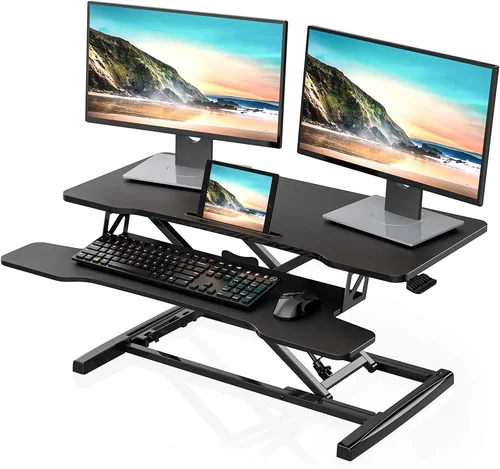
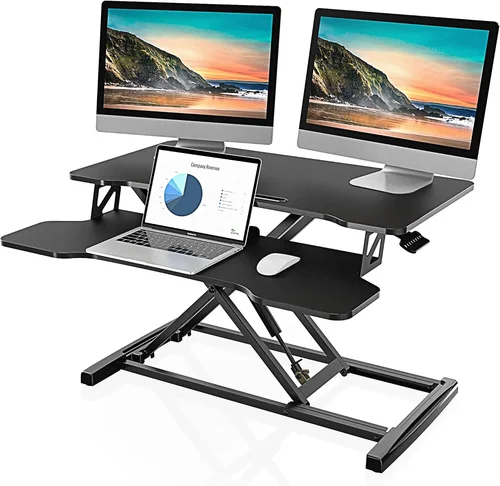
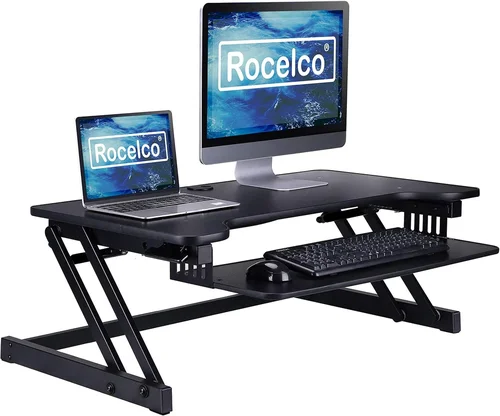
Standing desk converters provide an affordable solution ($150-$400) for users seeking to upgrade existing work surfaces without replacing entire furniture pieces. These attachments clamp onto current desks and offer height adjustment capabilities, allowing gradual introduction to sit-stand workstyles. While limited by the stability of the base desk, converters offer immediate ergonomic benefits and lower financial barriers to entry compared to purchasing new furniture.
Common Buying Mistakes to Avoid
❌ Mistake: Ignoring Weight Capacity Requirements
Why it’s bad: Underestimating your equipment needs leads to instability, wobbling, and potential damage to both the desk and connected devices. Many users assume standard desks can handle typical computer setups, but adding multiple monitors, external keyboards, and other accessories easily exceeds recommended limits.
What to do instead: Calculate total weight including all electronics, peripherals, and personal items that will occupy the surface. Add 20% buffer capacity for safety. Verify manufacturer specifications and choose a desk rated for at least double your estimated load to ensure stable operation.
❌ Mistake: Overlooking Height Range Sufficiency
Why it’s bad: Inadequate height range prevents comfortable seating or standing positions, defeating the purpose of ergonomic adjustment. A desk that’s too short forces users to hunch over while standing, while one that’s too tall creates awkward reach distances during seated work.
What to do instead: Measure your elbow height when seated comfortably and again when standing naturally. Select a desk with adjustable height range that comfortably accommodates both positions with approximately 90-degree elbow angles. Consider future needs like monitor arms or equipment upgrades when determining minimum requirements.
❌ Mistake: Neglecting Stability Testing After Purchase
Why it’s bad: Many buyers assume stability issues will appear immediately during assembly, but some problems manifest gradually over weeks or months. Wobbling, vibrations, or inconsistent operation may develop as components settle or wear occurs unnoticed.
What to do instead: Test stability at various heights and under different loads before finalizing placement. Perform gentle movements and apply slight pressure to assess rigidity. If instability appears, contact manufacturer support immediately—many reputable brands accept returns or replacements for defective units regardless of warranty status.
❌ Mistake: Choosing Based Solely on Price
Why it’s bad: Extremely low-priced desks often compromise on materials, construction quality, and safety features, leading to premature failure, injury risks, or health concerns from inadequate support. The cheapest option rarely provides best value when considering long-term costs and health benefits.
What to do instead: Evaluate price relative to features, build quality, and warranty coverage rather than absolute cost. Compare similar specifications across multiple price points, and remember that higher initial investment often translates to lower lifetime costs through durability and reduced replacement frequency.
❌ Mistake: Failing to Consider Assembly Complexity
Why it’s bad: Complex assembly processes can overwhelm DIY novices, result in incorrect installation that compromises safety and functionality, or create unnecessary stress during setup. Some desks require specialized tools, multiple people, or technical expertise that exceed typical homeowner capabilities.
What to do instead: Review assembly requirements before purchase, including required tools, estimated time commitment, and whether professional installation services are available. Choose models with clear instructions and intuitive designs if you’re inexperienced with furniture assembly, or factor in professional installation costs when budgeting.
❌ Mistake: Overlooking Cable Management Needs
Why it’s bad: Poor cable organization creates tripping hazards, obstructs leg movement, and makes frequent height adjustments cumbersome. Unmanaged cords also contribute to clutter that reduces usable surface area and creates visual distractions during work sessions.
What to do instead: Prioritize desks with built-in cable trays, grommets, or routing channels before making purchase decisions. Consider additional accessories like cable sleeves or management kits if your chosen model lacks adequate provisions. Plan for future expansion by selecting systems that accommodate growing numbers of devices and accessories.
Budget Guidelines: How Much Should You Spend?
Entry-Level Standing Desks ($100 – $300) offer fundamental sit-stand functionality without advanced features or premium materials. These models typically utilize manual crank mechanisms and basic steel frames with laminate surfaces. While suitable for occasional users or those on tight budgets, entry-level desks often lack stability at higher weights and may require more physical effort to operate. Expect limited height ranges, no programmable settings, and shorter warranty periods compared to higher-tier options. This category represents the best choice for experimentation with standing desks or temporary workspace solutions where maximum functionality isn’t required.
Mid-Range Standing Desks ($300 – $800) represent the sweet spot for most buyers seeking reliable performance with reasonable value. These models feature electric height adjustment with dual motors, sufficient lifting capacities (300+ pounds), and programmable memory settings for multiple users. Build quality improves significantly with powder-coated steel frames, solid wood or high-pressure laminate surfaces, and comprehensive warranties covering three to five years. Users in this tier typically find their needs met without overspending on unnecessary features while benefiting from smoother operation, greater stability, and enhanced durability compared to entry-level alternatives.
Premium Standing Desks ($800 – $1,500) deliver exceptional build quality, innovative features, and sophisticated functionality for discerning professionals and health-conscious users. These models incorporate smart technology integration, advanced motor systems, premium surface materials, and extensive customization options. Features may include app connectivity, voice control, automated scheduling, posture tracking, and compatibility with smart home ecosystems. Warranties extend to five years or more, reflecting manufacturer confidence in component longevity. While representing a significant investment, premium desks offer the highest comfort levels, most intuitive operation, and greatest potential for improving long-term health outcomes through optimized ergonomics.
Luxury Standing Desks ($1,500+) represent the pinnacle of standing desk technology and craftsmanship, targeting executives, creative professionals, and individuals with specific ergonomic requirements. These ultra-premium models often feature solid hardwood surfaces, custom finishes, integrated lighting, wireless charging, and bespoke design elements tailored to individual preferences. Advanced automation allows completely hands-free operation based on calendar events, meeting schedules, or biometric data from wearable devices. Exceptional warranties may extend to ten years or lifetime coverage, accompanied by concierge customer service and professional installation included. Luxury desks justify their high prices through unparalleled aesthetics, cutting-edge technology, and personalized support that exceeds expectations for discerning clients.
Expert Tips for Getting the Best Deal
Timing your purchase strategically can yield substantial savings on standing desks. Major shopping holidays like Black Friday, Cyber Monday, and Prime Day typically feature significant discounts on ergonomic furniture, sometimes reaching 30-50% off retail prices. Manufacturers often announce upcoming sales in advance through email newsletters, giving subscribers early access to promotional codes and exclusive deals. Seasonal transitions—particularly late summer to early fall—also present opportunities as retailers clear inventory to make room for new models entering the market in spring.
Researching multiple retailers before purchasing helps identify competitive pricing and unique offers. Online marketplaces like Amazon, Wayfair, and Overstock frequently bundle desks with free shipping, extended warranties, or complementary accessories that add value beyond the base product. Local furniture stores may offer in-person demonstrations and immediate delivery unavailable from online-only retailers, while specialized ergonomic suppliers often provide expert consultation and customization options. Comparing prices across channels while factoring in shipping costs, return policies, and warranty transferability ensures comprehensive assessment of total value.
Identifying genuine deals requires distinguishing between marketing gimmicks and legitimate savings opportunities. Watch for consistent discount patterns rather than isolated promotions, and verify that sale prices represent true reductions from original MSRPs rather than artificially inflated “regular” prices. Membership programs like Costco’s Executive Membership or Sam’s Club’s Plus membership offer additional savings through warehouse exclusives and cashback rewards on qualifying purchases. Price matching guarantees from major retailers provide protection against competitors’ lower pricing, ensuring you never overpay for identical products.
Understanding warranty terms before purchase protects against unexpected expenses and ensures adequate coverage for potential defects or failures. Comprehensive warranties should cover both parts and labor for the specified period, with clear definitions of excluded damages (typically resulting from misuse, improper assembly, or unauthorized modifications). Transferable warranties provide added value when reselling the desk or transferring ownership within organizations. Extended warranty options from third-party providers may offer additional coverage beyond manufacturer specifications, though careful review of terms and exclusions prevents disappointment when filing claims.
Evaluating return policies demonstrates retailer confidence in product quality and provides security if the desk fails to meet expectations. Look for generous return windows (ideally 30+ days), restocking fee transparency, and hassle-free exchange procedures. Free returns eliminate risk when ordering online, while in-store pickup options allow testing before committing to purchase. Clear communication about return procedures, including required documentation and packaging requirements, streamlines the process if dissatisfaction arises after delivery.
Testing desks before purchasing enables direct assessment of build quality, stability, and operational characteristics that specifications alone cannot convey. Visit showrooms or request in-home demonstrations when possible, paying attention to smoothness of adjustment, noise levels during operation, and overall impression of craftsmanship. Ask about assembly requirements and potential challenges specific to your situation, and inquire about trial periods that allow return if the desk doesn’t integrate seamlessly into your workspace. Professional installers may provide valuable insights into optimal placement and configuration for your specific environment.

Frequently Asked Questions
Q: How often should I switch between sitting and standing positions?
A: Health experts recommend alternating every 30-60 minutes throughout the workday to maximize benefits while minimizing strain. Beginners should start with shorter standing intervals (15-20 minutes) and gradually increase duration as comfort improves. Listen to your body—if experiencing fatigue or discomfort, take seated breaks. Consistency matters more than perfect timing, so establish a routine that works for your schedule and energy levels.
Q: What size standing desk do I actually need?
A: Minimum recommended dimensions are 48″ wide by 24″ deep for comfortable laptop and accessory placement. If using multiple monitors, consider 60″ width or wider. Depth should accommodate keyboard tray clearance (20-24″) plus additional space for mouse movement and document storage. Measure your existing workspace precisely, including legroom requirements under seated position, and add 2-4 inches on each side for comfortable movement around the desk perimeter.
Q: Can I install a standing desk converter on my existing desk?
A: Yes, standing desk converters attach securely to most existing surfaces including particle board, MDF, and solid wood desks with appropriate clamping mechanisms. Ensure your desk surface is clean, flat, and sturdy enough to support the added weight of your equipment. Check manufacturer specifications for maximum desk thickness and surface texture compatibility, and avoid applying converters to fragile, thin, or uneven surfaces that may damage the underlying furniture.
Q: Are expensive standing desks worth the investment?
A: Premium desks provide superior build quality, advanced features, and greater longevity that justify higher costs for frequent users, professionals with specific needs, or those prioritizing long-term health outcomes. However, budget-friendly models adequately serve occasional users or those testing sit-stand benefits temporarily. Evaluate your usage frequency, workspace requirements, and willingness to invest in durability when determining whether premium features represent worthwhile expenditure.
Q: What maintenance does a standing desk require?
A: Regular maintenance includes wiping surfaces with mild soap and water, tightening loose screws periodically, lubricating moving parts according to manufacturer instructions, and checking cable management systems for secure connections. Electric desks benefit from occasional motor housing cleaning to prevent dust accumulation affecting performance. Avoid harsh chemicals that may damage finishes or void warranties, and consult owner’s manuals for model-specific care recommendations including recommended lubricants and cleaning products.
Q: How long does it take to assemble a standing desk?
A: Assembly duration varies significantly by complexity—basic manual desks may require 30-60 minutes, while electric models with multiple components can take 2-4 hours. Premium desks with intricate cable management systems or custom features may demand 4-6 hours for complete setup. Factor in assembly time when planning delivery schedules, and consider professional installation services if lacking DIY experience or facing challenging spatial constraints that complicate self-assembly.
Q: Can standing desks help with back pain?
A: Properly adjusted standing desks can alleviate back pain by promoting neutral spine alignment, reducing pressure on lumbar discs, and encouraging better posture awareness. However, desks that encourage slouching, excessive leaning, or uncomfortable positioning may exacerbate existing issues. Addressing underlying causes like weak core muscles, improper footwear, or inadequate break routines provides greater pain relief than desk adjustment alone. Consult healthcare professionals before making significant changes to your workstation if experiencing chronic back pain.
Q: Do I need special chairs for standing desk use?
A: While not mandatory, ergonomic chairs designed for extended sitting support healthy posture and facilitate comfortable transitions between positions. Look for adjustable lumbar support, breathable fabric, and appropriate seat depth to complement your standing desk setup. Avoid traditional office chairs that promote slouching or lack proper support—investing in a quality seated option ensures balanced ergonomics regardless of how frequently you alternate positions throughout the day.
Our Final Recommendations
For budget-conscious buyers seeking reliable sit-stand functionality without overspending, the FlexiSpot EC1 Electric Standing Desk offers exceptional value with its dual-motor system, 355-pound lifting capacity, and programmable memory settings. Priced competitively in the mid-range segment, this model delivers smooth operation and stable performance while including essential features like cable management and comprehensive three-year warranty coverage. Its straightforward assembly process and intuitive controls make it accessible to users of varying technical abilities while providing sufficient adjustment range for most body types and workspace configurations.
The best overall value recommendation goes to the UPLIFT V2 Desk, renowned for its modular design philosophy that allows extensive customization options without premium pricing. With industry-leading build quality, whisper-quiet operation, and compatibility with numerous accessories, this desk adapts seamlessly to evolving workspace needs. Its open architecture facilitates cable management and equipment upgrades, while the included controller offers precise height control and customizable presets. The generous five-year warranty reflects manufacturer confidence in component durability, and the extensive community of users provides valuable modification ideas and troubleshooting assistance for common setup challenges.
For those seeking the ultimate standing desk experience with cutting-edge technology and uncompromising craftsmanship, the Autonomous SmartDesk Pro represents the pinnacle of current innovation. This premium model integrates seamlessly with productivity apps, offers AI-powered posture suggestions, and includes automated scheduling based on calendar events. Its solid hardwood surface options, wireless charging capability, and compatibility with smart home systems create an immersive workspace ecosystem that anticipates user needs before conscious requests arise. While representing significant investment, the SmartDesk Pro delivers unmatched convenience, aesthetic appeal, and intelligent features that justify luxury pricing for discerning professionals.
Beginners starting their sit-stand journey should consider the SHW Electric Height Adjustable Desk for its simplicity, affordability, and reliable performance. This entry-level model provides essential height adjustment functionality without overwhelming complexity, featuring a single-button operation system and sufficient weight capacity for typical laptop setups. Its straightforward design eliminates confusion during initial use, allowing newcomers to focus on adapting their workstyle rather than mastering technical features. The included controller offers basic presets while maintaining compatibility with future accessory additions as users become more familiar with standing desk ergonomics.
Advanced users requiring maximum functionality, customization options, and integration capabilities will appreciate the Fully Jarvis Bamboo Standing Desk for its exceptional versatility and thoughtful design details. This premium model supports extensive modification possibilities including surface size variations, frame colors, and accessory combinations that create truly personalized workstations. Its robust construction handles heavy multi-monitor setups with ease, while the quiet motors and smooth operation facilitate seamless transitions throughout demanding workdays. The included sit-stand timer promotes healthy habits, and the comprehensive accessory ecosystem ensures every aspect of your workspace can be optimized for productivity and comfort.
Conclusion: Making the Right Choice
Selecting the ideal standing desk in 2026 requires balancing multiple factors including budget constraints, workspace requirements, health objectives, and technological preferences. By understanding the fundamental differences between manual and electric mechanisms, evaluating build quality indicators, and recognizing your specific usage patterns, you can make an informed decision that maximizes both immediate satisfaction and long-term value. Remember that the most expensive option isn’t always the best fit, nor is the cheapest model necessarily inadequate—what matters most is finding the right balance of features, performance, and affordability that aligns with your individual circumstances.
Prioritize stability, safety, and ease of use above all else, as these qualities directly impact your daily comfort and productivity. Don’t overlook the importance of adequate warranty coverage and responsive customer support, as these protections provide peace of mind and practical assistance when issues inevitably arise. Take advantage of testing opportunities before committing to purchase, and consider how your chosen desk will integrate with existing furniture and technology rather than viewing it as an isolated addition to your workspace.
The investment in a quality standing desk extends far beyond mere furniture acquisition—it represents commitment to long-term health, productivity enhancement, and improved quality of life. Whether you’re addressing specific medical concerns, seeking to combat sedentary lifestyle effects, or simply optimizing your work environment for better focus and energy, the right standing desk can transform how you approach daily tasks and overall well-being. Trust your instincts while remaining open to expert recommendations, and remember that successful adoption of sit-stand workstyles depends more on consistency and adaptation than on having the most advanced equipment available.